Working from home has become increasingly common, and having a dedicated, productive home office space can make a significant difference in your workday. Whether you’re a remote employee, freelancer, or running your own business, establishing an environment that supports concentration and efficiency is key. In this guide, we’ll explore effective tips to create a home office that helps you stay productive and comfortable throughout your work hours.
1. Choose the Right Location
The first step to setting up your home office is selecting an appropriate spot in your home. Ideally, this should be a quiet area away from high traffic zones like the kitchen or living room. If possible, a room with a door to block out distractions is ideal.
Consider these factors:
– Natural Light: Choose a space with plenty of natural light to reduce eye strain and improve mood.
– Ventilation: Proper airflow is important to keep you comfortable.
– Noise Levels: A quieter room will help maintain focus.
– Space: Ensure there is enough room for your desk, chair, and any additional equipment or storage you need.
2. Invest in a Comfortable, Ergonomic Chair and Desk
Comfort directly impacts productivity, especially when you spend long hours at your desk. Choose a chair with adjustable height, lumbar support, and cushioned seating. An ergonomic desk at the right height helps prevent posture-related discomfort.
Tips for Ergonomics:
– Keep your feet flat on the floor or on a footrest.
– Your eyes should align with the top of your computer screen.
– Use an adjustable chair and desk to find the perfect seating position.
3. Organize Your Workspace
A cluttered desk can lead to a cluttered mind. Keeping your workspace organized minimizes distractions and helps you locate essential items quickly.
Organization ideas:
– Use desk organizers for stationery, cables, and small items.
– Implement shelves or drawers for documents and books.
– Keep only daily essentials on your desk; store the rest away.
– Make use of digital tools to reduce paper clutter.
4. Set Up Effective Lighting
Good lighting reduces eye strain and helps maintain alertness. Combine natural and artificial light sources to achieve balanced illumination.
– Use a desk lamp with adjustable brightness for focused work.
– Avoid harsh overhead lights that create glare.
– Position your screen to minimize reflections.
5. Minimize Distractions
Working from home can come with distractions like family members, pets, and household chores. Develop strategies to minimize interruptions.
– Communicate your work hours to those at home.
– Use noise-cancelling headphones or white noise machines.
– Turn off non-work notifications on your devices.
– Create a routine to separate work time from personal time clearly.
6. Personalize Your Space
Adding personal touches can make your workspace more inviting and motivating.
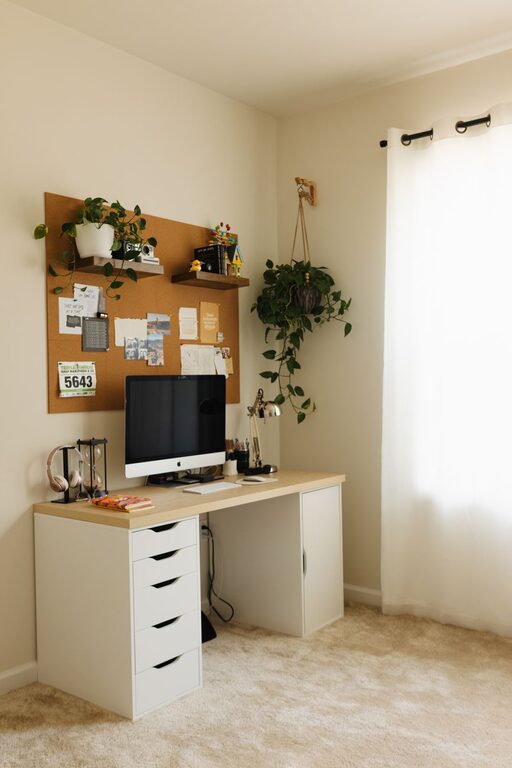
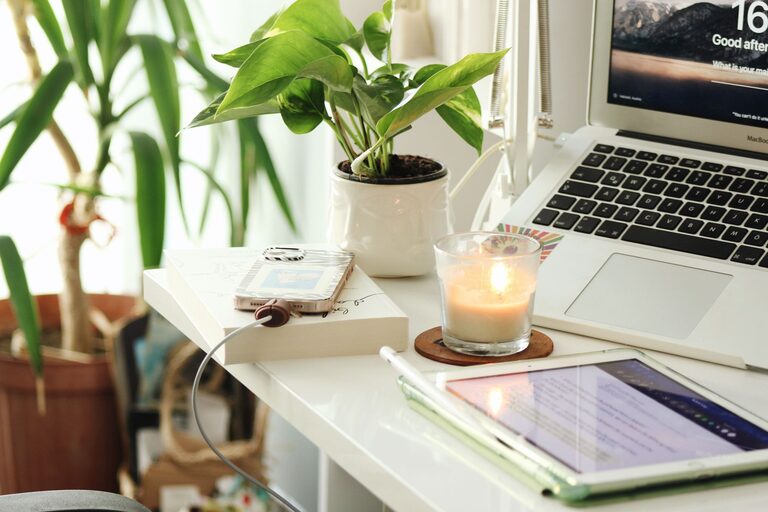
– Decorate with plants to improve air quality and add color.
– Display inspiring artwork or photos.
– Use colors that promote productivity, like soft blues or greens.
7. Maintain a Routine and Take Breaks
A productive environment isn’t only about physical setup—it’s also about habits.
– Establish consistent start and end times for your workday.
– Use timers or apps to remind you to take short breaks.
– Stand, stretch, or take brief walks to keep energized.
8. Use Technology Wisely
Choose reliable technology that supports your work without causing frustration.
– Invest in a fast internet connection.
– Use a quality headset or microphone for virtual meetings.
– Explore productivity software for task management and communication.
Conclusion
Creating a productive home office environment involves thoughtful planning of your space, furniture, organization, lighting, and habits. By applying these tips, you can build a workspace that enhances your focus, comfort, and overall work experience. Remember, the goal is to make your home office a place where you can feel motivated and at ease, leading to better productivity every day.
About the Author